Lifetime license
No subscription
1 user In stock
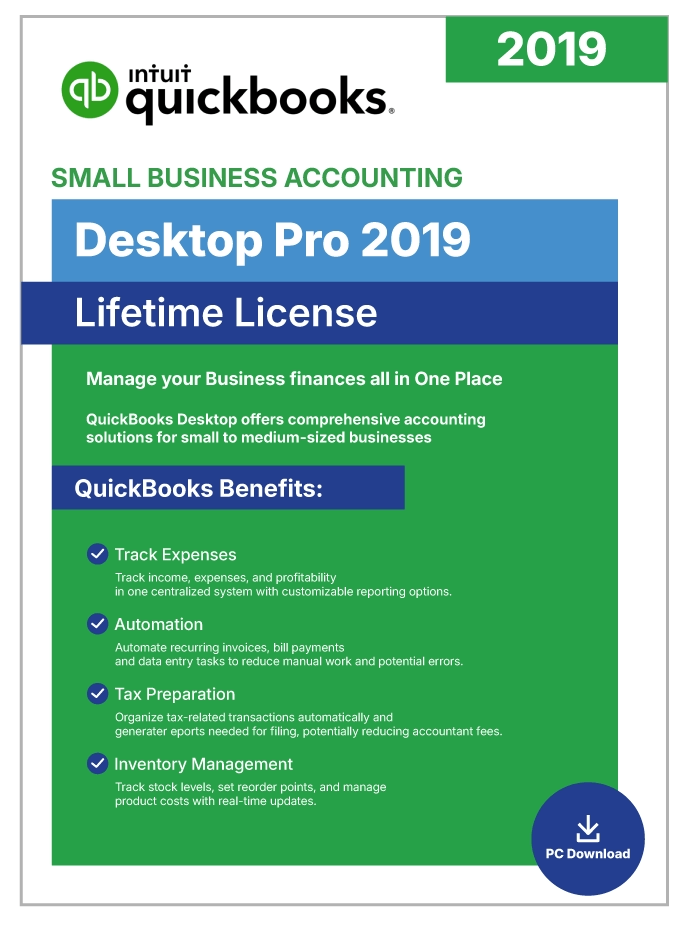
QuickBooks Desktop Pro 2019 | Lifetime License | No Subscription | 1-User |
$129.99
USD - one-time payment
Genuine License Key: Legacy QuickBooks Desktop releases (Pro 2021 and earlier editions) were distributed as one-time perpetual purchases, commonly marketed as “lifetime” licenses.
Official Software Access: Delivers full entitlement to the genuine QuickBooks Desktop build, including every official patch and security update.
Data Security: Keeps your books on your own machine with scheduled automatic backups, so financial data stays under your control.
Digital Delivery: Fully digital fulfillment — the download link and license credentials arrive by secure email shortly after purchase.
Emailed after verificationUsually within a few business hours
Free installation supportUntil the software activates
Product overview
Product Overview
QuickBooks Desktop Pro 2019 is a one-time-purchase edition of Intuit’s core Windows accounting suite for small businesses, and it sits at the entry point of the Desktop Pro catalog. Because it’s licensed perpetually, no monthly or annual renewal is ever charged — activate once and the software is yours to keep. That makes it the least expensive way to get into the QuickBooks Desktop ecosystem for owners who prefer buying software outright over paying a recurring subscription.
The 2019 edition delivers a complete double-entry accounting workflow for the day-to-day. Branded invoice templates let you bill clients and keep tabs on unpaid balances. Downloaded transactions are matched against your ledger through automated bank reconciliation. Expense classification groups spending so tax time runs smoother. Entry-level inventory tools watch stock levels and compute Cost of Goods Sold. Job costing rolls up labor, materials, and overhead against individual projects. And because you can maintain several company files from a single install, sole proprietors and bookkeepers can keep separate books for different entities without needing multiple copies.
Concurrent access is capped at three users on a local network, with fine-grained role permissions. The 100-plus built-in reports export straight to Microsoft Excel or can be scheduled for automated delivery. All data lives on your Windows machine, which means full control and offline operation after activation.
Small businesses, freelancers, and solopreneurs looking for the cheapest perpetually-licensed QuickBooks Desktop Pro release — with proven stability, complete offline functionality, and zero subscription strings — will find Pro 2019 delivers professional accounting at the lowest one-time price in the range.
Included capabilities
Product Features
- Lowest-Priced Perpetual License — The cheapest one-time-purchase entry in the QuickBooks Desktop Pro catalog — no monthly or yearly fees, and permanent ownership from day one.
- Complete Double-Entry Accounting — Handles General Ledger, A/P, A/R, sales tax, budgets, and bank reconciliations inside a single, integrated Windows application.
- Custom-Branded Invoicing — Design branded invoices and estimates, monitor unpaid balances, and schedule automated reminders to keep receivables flowing.
- Intelligent Bank Reconciliation — Automated matching pairs downloaded bank and credit-card transactions with your recorded entries so the books stay accurate with minimal manual work.
- Entry-Level Inventory Tracking — Follow stock quantities, set reorder points that flag low inventory, and track Cost of Goods Sold for product-based businesses.
- Job Costing for Project Profitability — Assign labor, materials, and overhead to specific projects to see exactly which engagements are pulling their weight.
- Multiple Company File Support — Manage books for several separate entities from one installation, switching between company files through the application menu.
- 100+ Customizable Reports — Access P&L, Balance Sheet, Cash Flow, A/R and A/P Aging, tax summaries, and dozens more — all exportable to Microsoft Excel.
- Three Simultaneous Users — Share your company file with up to three team members over a local network, each with role-based permissions.
- Fully Local Data Storage — Every byte of financial data stays on your Windows PC, giving you complete control and the ability to work offline once installation is complete.
Technical details
Minimum Requirements / Specifications
| Requirement | Minimum | Recommended |
| Operating System | Windows 7 SP1, Windows 8.1, or Windows 10, 64-bit, natively installed | Windows 10 (64-bit) |
| Processor | 2.4 GHz | 2.4 GHz+ multi-core |
| RAM | 4 GB | 8 GB |
| Disk Space | 2.5 GB (additional space for data files) | SSD with 10 GB+ available |
| Windows Server | Windows Server 2008 R2 SP1 | Windows Server 2012 R2 or 2016 |
| Internet | Required for installation and initial activation | Broadband |
| Display | 1280 x 1024 resolution | 1280 x 1024 or higher |
| Microsoft Office | Office 2010 SP2 or later | Office 2016 or later |
| License Type | Perpetual (one-time purchase, lifetime access) | — |
| Max Simultaneous Users | 3 | — |
Common questions
Frequently Asked Questions
Q: What is QuickBooks Desktop Pro 2019?
A: QuickBooks Desktop Pro 2019 is a Windows-installed accounting application from Intuit, sold as a one-time perpetual-license purchase. It covers core double-entry bookkeeping, branded invoicing, expense classification, automated bank reconciliation, entry-level inventory management, project-level job costing, and 100-plus customizable financial reports. After activation you own the software outright with no ongoing fees, making it the lowest-priced Windows perpetual QuickBooks Desktop product available.
Q: Does QuickBooks Pro 2019 require a subscription?
A: No. Pro 2019 uses a perpetual license — there are no recurring monthly or annual charges. Once activated, the software is yours to run indefinitely. This release predates Intuit’s move to the subscription-only Pro Plus model.
Q: What is the difference between Pro 2019 and Pro 2021?
A: The core accounting engine is essentially the same. Pro 2021 is the more recent release, with small interface refinements, and was the final Pro edition available as a one-time purchase. Pro 2019 has broader legacy OS support (Windows 7 SP1 in addition to 8.1 and 10) and comes at a lower price. Both have reached Intuit end-of-life, so all connected services are permanently discontinued on either version.
Q: What is the difference between QuickBooks Pro and Premier?
A: Premier includes everything Pro offers and layers on industry-specific editions (Contractor, Manufacturing, Non-Profit, Professional Services, Retail), inventory assemblies, sales orders, sales forecasting, and up to five concurrent users compared with Pro’s three. Pro is aimed at general small business accounting without the industry-specific workflows.
Q: How many users can QuickBooks Pro 2019 support?
A: Pro 2019 allows a maximum of three concurrent users on a local network, and each user beyond the first needs an additional license seat. Teams that need more concurrent access can move up to QuickBooks Premier (up to five users) or Enterprise (up to 30).
Q: What are the system requirements for QuickBooks Pro 2019?
A: Pro 2019 needs Windows 10, 8.1, or 7 SP1 (64-bit, natively installed), a 2.4 GHz processor, at least 4 GB of RAM (8 GB is recommended), and 2.5 GB of free disk space. Multi-user hosting is supported on Windows Server 2008 R2 SP1, 2012 R2, and 2016. An internet connection is needed for installation and initial activation.
Q: Are connected services still available for Pro 2019?
A: No. Pro 2019 has reached end-of-life status with Intuit, and every connected online service — including live bank feeds, integrated payroll, payment processing, and security patches — has been permanently retired. The offline accounting engine continues to function, so invoicing, expense tracking, manual bank reconciliation with imported statements, reporting, and inventory management all still work.
Q: Can I manage multiple company files in Pro 2019?
A: Yes. Pro 2019 lets you keep separate books for different businesses or entities from a single installation, and you switch between company files from the File menu. Note, however, that only one company file can be open at a time in the standard Pro edition.
Customer feedback
Reviews
You may also like
View category Related Products
Reviews
There are no reviews yet.