Lifetime license
No subscription
1 user In stock
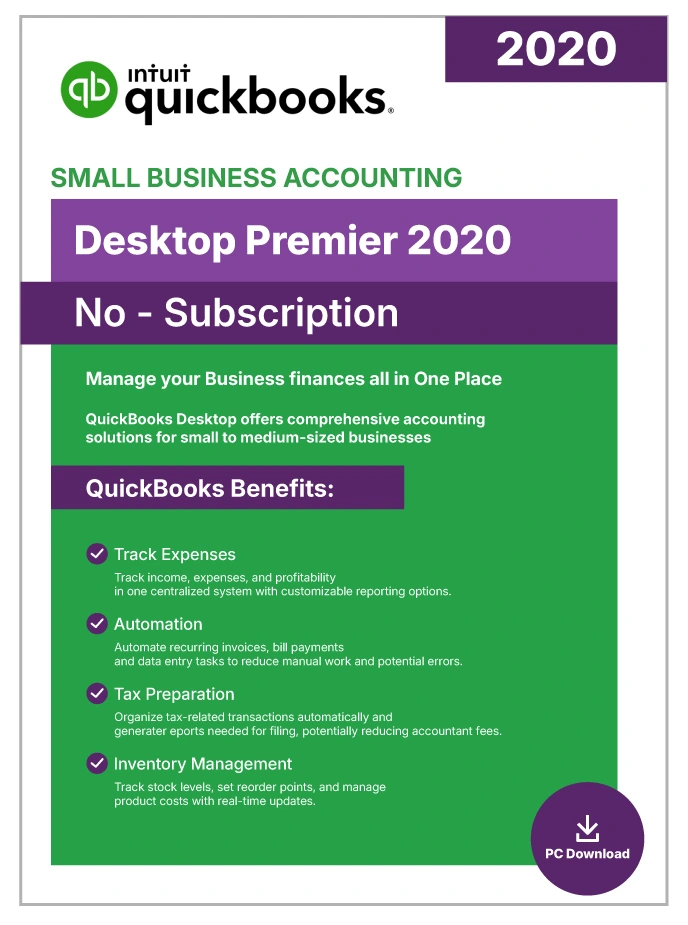
QuickBooks Desktop Premier Accountant 2020 | Lifetime License | No Subscription | 1-User |
$149.99
USD - one-time payment
Genuine License Key: Legacy QuickBooks Desktop releases (Pro 2021 and earlier editions) were distributed as one-time perpetual purchases, commonly marketed as “lifetime” licenses.
Official Software Access: Delivers full entitlement to the genuine QuickBooks Desktop build, including every official patch and security update.
Data Security: Keeps your books on your own machine with scheduled automatic backups, so financial data stays under your control.
Digital Delivery: Fully digital fulfillment — the download link and license credentials arrive by secure email shortly after purchase.
Emailed after verificationUsually within a few business hours
Free installation supportUntil the software activates
Product overview
Product Overview
QuickBooks Desktop Premier Accountant 2020 is the most versatile edition in the Premier product family, purpose-built for accounting professionals who work across multiple industries and juggle several client company files. Because it ships with a perpetual one-time-purchase license, no recurring costs apply — unlike the newer subscription-based Premier Plus editions.
What sets the Accountant Edition apart from standard QuickBooks Premier is its exclusive Toggle feature, which lets a single installation behave as any of the six industry-specific Premier editions — Contractor, Manufacturing and Wholesale, Non-Profit, Professional Services, Retail, and General Business. That means accountants and bookkeepers can open client files with the exact same reports, chart of accounts, and workflows their clients use — no separate software installations required.
The 2020 release also introduced practical workflow improvements: automated payment reminders for overdue invoices, the ability to include purchase order numbers in email subject lines, combined email delivery for multiple invoices, and collapsible columns in detailed reports. The Client Data Review center streamlines file cleanup with batch transaction reclassification, global invoice write-offs, and sales tax corrections.
For independent accountants, CPA firms, bookkeeping services, and small business owners who want professional-grade accounting with industry-specific flexibility, Premier Accountant 2020 delivers a comprehensive toolset with permanent software ownership and full offline capability.
Included capabilities
Product Features
- Perpetual License, No Subscription — A one-time purchase gives you permanent software ownership, cutting out the monthly or annual fees of the newer QuickBooks Premier Plus subscription plans.
- Toggle Between All Six Industry Editions — Move between Contractor, Manufacturing and Wholesale, Non-Profit, Professional Services, Retail, and General Business views from one installation — each with its own industry-specific reports and chart of accounts.
- Client Data Review Center — Reclassify hundreds of transactions in a single batch, write off invoices globally, and correct incorrectly recorded sales tax payments — file cleanup in a fraction of the time.
- Multi-Instance Mode — Open and work on two different company files simultaneously on the same computer — a big efficiency win during tax season, month-end reconciliation, or multi-client workflows.
- Automated Payment Reminders — Identify overdue invoices and send automated email reminders to customers, reducing manual follow-up and improving cash flow.
- Up to Five Simultaneous Users — Share the company file with up to five team members across a local network, each with role-based permissions.
- Advanced Reporting — Industry-specific reports include job costing, inventory valuation summaries, donor tracking (Non-Profit), and sales by department (Retail) — beyond what Pro provides.
- Full Double-Entry Accounting Suite — Complete General Ledger, A/P, A/R, sales tax tracking, budgeting, and bank reconciliation inside one integrated application.
- Fully Local Data Storage — All financial data stays on your Windows machine — full control, and full offline capability once installation is complete.
- Microsoft Office Integration — Export reports to Excel and send invoices through Outlook without leaving the application.
Technical details
Minimum Requirements / Specifications
| Requirement | Minimum | Recommended |
| Operating System | Windows 8.1 (Update 1) or Windows 10, 64-bit, natively installed | Windows 10 (64-bit) |
| Processor | 2.4 GHz | 2.4 GHz+ multi-core |
| RAM | 4 GB | 8 GB |
| Disk Space | 2.5 GB (additional space for data files) | SSD with 10 GB+ available |
| Windows Server | Windows Server 2012 R2 | Windows Server 2016 or 2019 |
| Internet | Required for activation, payroll add-ons, and online services | Broadband (1 Mbps+) |
| Browser | Internet Explorer 11 (32-bit) | — |
| Display | 1280 x 1024 resolution | 1280 x 1024 or higher; multi-monitor supported |
| Microsoft Office | Office 2010 SP2 or later (Word/Excel integration) | Office 2019 or Microsoft 365 |
| Security Protocol | TLS 1.2 | — |
| Max Simultaneous Users | 5 | — |
Common questions
Frequently Asked Questions
Q: What is QuickBooks Premier Accountant Edition?
A: The Accountant Edition is a specialized version of QuickBooks Premier designed for accountants, bookkeepers, and CPA firms. It includes the exclusive Toggle feature that switches between all six industry-specific Premier editions (Contractor, Manufacturing and Wholesale, Non-Profit, Professional Services, Retail, and General Business) from one installation — plus advanced tools like Client Data Review, Multi-Instance mode, and industry-specific reports.
Q: What is the difference between QuickBooks Pro and Premier?
A: Premier includes everything Pro offers and adds industry-specific editions, inventory assemblies with FIFO costing, sales orders, sales forecasting, and support for up to five concurrent users compared with Pro’s three. Premier Accountant additionally adds the Toggle feature and Client Data Review tools designed specifically for accounting professionals.
Q: Is QuickBooks Premier the same as QuickBooks Accountant?
A: Not exactly. QuickBooks Premier is a general-purpose industry-specific edition sold to businesses. QuickBooks Premier Accountant is a specialized variant marketed to accounting professionals that adds the Toggle feature, Client Data Review Center, and Multi-Instance mode. The core accounting engine is the same, but Accountant provides tools optimized for managing multiple client company files.
Q: Does QuickBooks Premier 2020 require a subscription?
A: No. Premier Accountant 2020 is a perpetual-license product with no recurring monthly or annual fees. Once activated, the software runs indefinitely. This release predates Intuit’s move to the Premier Plus subscription-only model.
Q: Does QuickBooks Premier include payroll?
A: No. Payroll functionality requires a separate QuickBooks Enhanced Payroll or Assisted Payroll subscription. Premier Accountant 2020 includes the payroll setup framework, but active payroll processing (tax table updates, direct deposit, tax form filing) requires an active payroll subscription.
Q: How many users can QuickBooks Premier support?
A: Premier supports up to five concurrent users on a local network, with each user beyond the first requiring an additional license seat. Teams that need more concurrent access can move up to QuickBooks Enterprise (up to 30 users).
Q: What are the system requirements for QuickBooks Desktop Premier 2020?
A: Premier 2020 needs Windows 10 or 8.1 (64-bit, natively installed), a 2.4 GHz processor, at least 4 GB of RAM (8 GB recommended), and 2.5 GB of free disk space. Multi-user hosting is supported on Windows Server 2012 R2 or 2016. An internet connection is required for installation and initial activation.
Q: How much does QuickBooks Premier cost as a one-time purchase?
A: Premier Accountant 2020 is a legacy perpetual-license product available through authorized resellers of unopened inventory. Exact pricing varies by reseller. Newer Premier Plus editions are subscription-only — the perpetual 2020 release offers permanent ownership at a one-time cost, but with end-of-life connected services.
Customer feedback
Reviews
You may also like
View category Related Products
Reviews
There are no reviews yet.